PlanThat plans the flight lines. FlyThat flies them, handling navigation and sensor triggering. CheckThat helps you verify the data right after landing. Together they make up our flight management software for aerial survey, built on the X-Track (“Tracker”) platform and configured around the aircraft and sensors you already fly.
The same engineers who built and supported X-Track for Track’Air and Lead’Air now build and support it under TrackThat. The software has been in development since 2002.
The suite runs from the moment you define the flight area to the moment you know the data is good. Each stage has its own tool, and all three share the same mission.
| Stage | Tool | What it does |
|---|---|---|
| Plan | PlanThat | Generates optimized flight lines from your sensor requirements, the terrain and the data quality you need. |
| Fly | FlyThat | Manages real-time navigation and sensor triggering, with an operator screen and a separate pilot screen. |
| Check | CheckThat | Helps verify data quality immediately after landing. |
Each stage is covered in more detail on the FMS Planning & Navigation page.
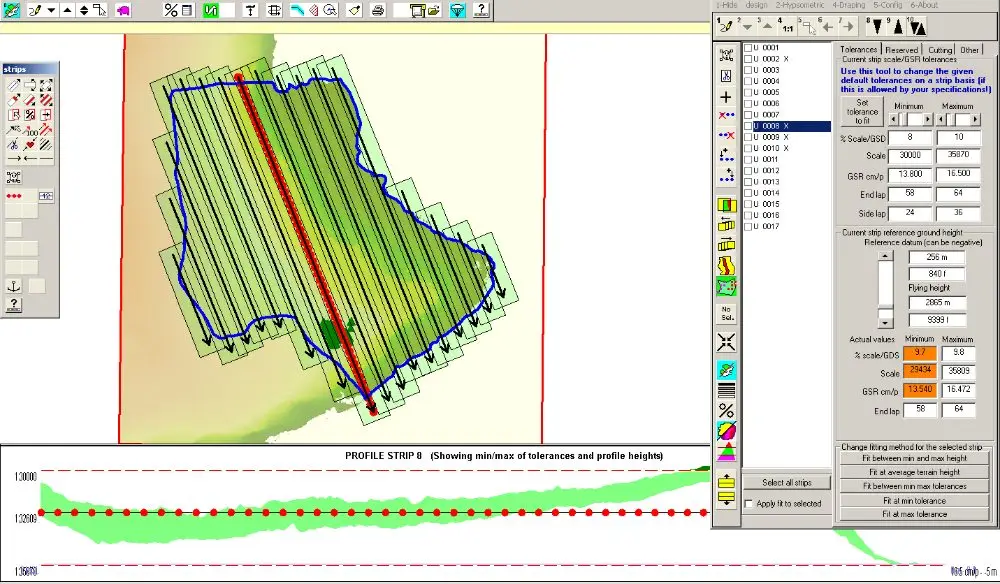
PlanThat starts with what the sensor needs and the data quality you’re after, then fits the lines to the ground. Terrain elevation and topography data refine the plan so coverage is complete with minimal overlap.
Optimized lines cut wasted distance and fuel, which lowers operating cost. Precise planning also keeps data quality consistent from one line to the next.
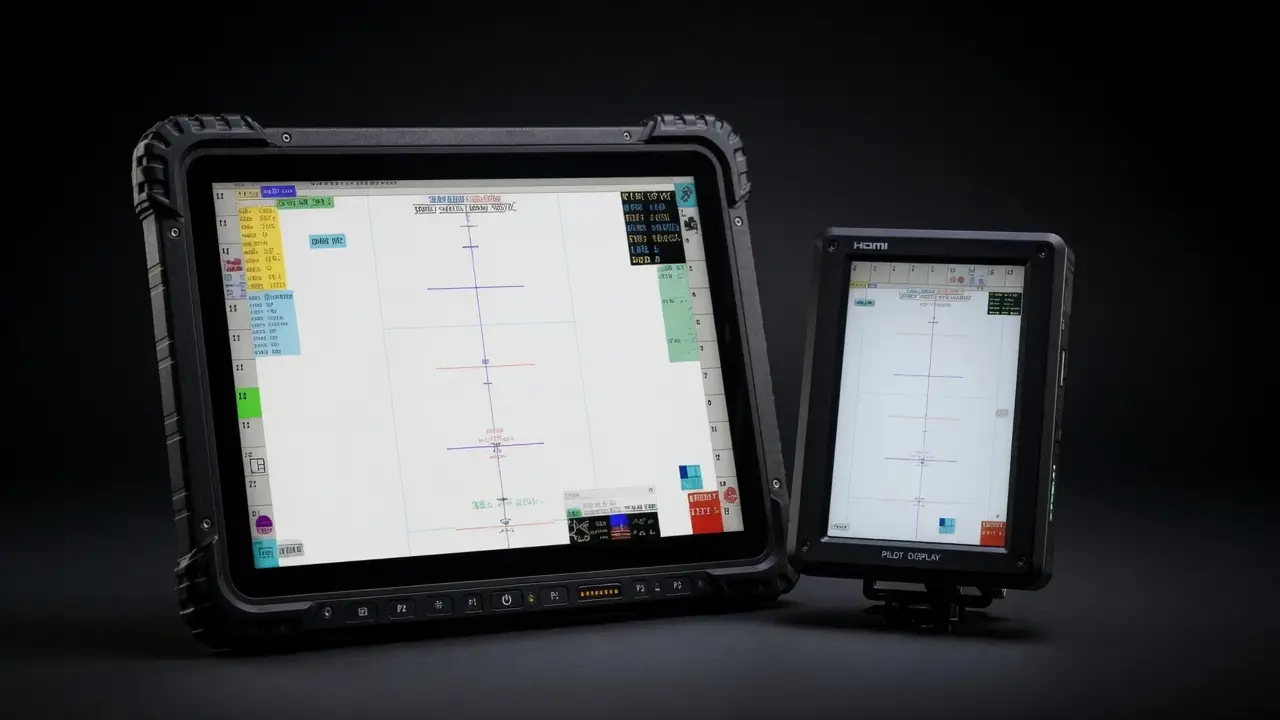
In the air, FlyThat guides the aircraft, tracks coverage and handles sensor triggering. We set it up around how your crews fly.
Every TrackThat hardware unit supports multiple HDMI touchscreens, and the operator and pilot screens work in sync. The operator sees and controls the mission, the sensors and data collection, with live data monitoring. The pilot gets a smaller HDMI display with only what a pilot needs: flight lines, progress and basic system status.
CheckThat helps you verify data quality as soon as the aircraft lands. Good capture in the air plus a check on the ground leaves less work for post-processing and verification.
Every TrackThat engagement reduces flight hours, post-processing time or sensor downtime.
We specialize in multi-sensor payloads: LiDAR, cameras and other geospatial sensors. We connect and synchronize them so the whole payload captures data as one system.
There’s no fixed sensor list. We configure the software for the sensors and aircraft you operate, and the rest of the suite is built on that sensor integration work.
In production: Riegl VQ-1560 II on a GSM 4000
Surveying and Mapping, LLC (SAM) was heading into production with a Riegl VQ-1560 II on a GSM 4000 when the Track’Air-era computer that ran the stack died, with the sensors still in the aircraft. We configured a replacement computer, integrated it with the sensors already installed, and had the system ready to fly and capture data within 24 hours.
Sensor and platform manufacturers can also integrate TrackThat software and multi-sensor workflows directly into their own products. Discuss OEM options with us.
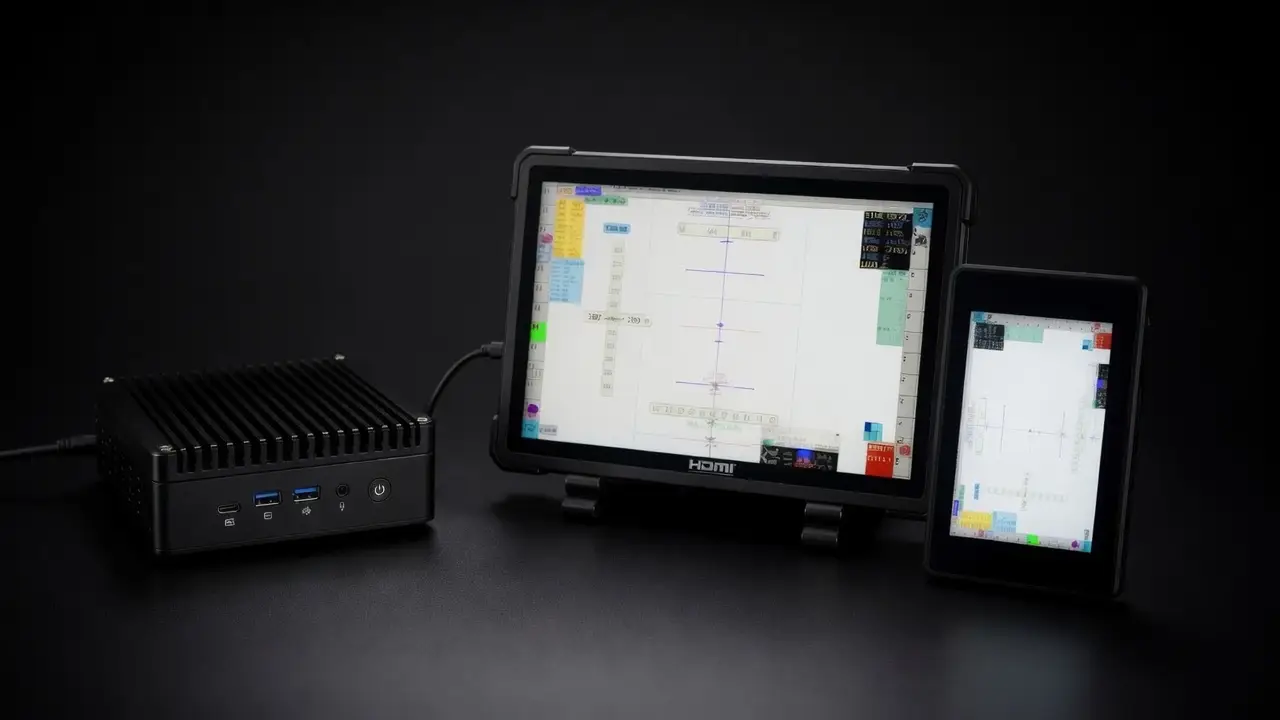
ARIS (Advanced Rugged In-Flight Systems) computers come preloaded with TrackThat acquisition and navigation software, ready to fly. They are designed for aerial survey operations, tested in real flight conditions and made in the USA.
| ARIS platform | Where it fits |
|---|---|
| Rugged laptop | For operators who want the most screen space and processing power in a portable unit. |
| Rugged tablet | Mounts easily in tighter cockpits and keeps full system performance. |
| Nano PC with HDMI touchscreen | A minimal footprint, paired with an external HDMI touchscreen for tight installations. |
Every ARIS unit supports a secondary HDMI pilot screen. Prefer to keep your own computers? Our integration services cover that instead. Each platform is described on the ARIS hardware page.
GIC (General Industry Consultancy) is an annual support license per flying system. It covers remote diagnostics and troubleshooting, software upgrades and bug fixes, license management, legacy hardware support and 3 planning seats.
Remote access, legacy systems and quotes are covered on the support page.
TrackThat LLC is a U.S. company founded in 2025, based in Orlando, Florida. Matthew Blythe runs customer relations, contracts and the gimbal software, and he’s the one who travels for installs, hangar work and field troubleshooting. René Hoevenberg writes and maintains PlanThat, FlyThat, CheckThat and the FMS that flies with the aircraft. Both take service calls. More about the team.

Teams flying multi-sensor missions, including crews still running Track’Air or X-Track systems.
Manufacturers building TrackThat software and multi-sensor workflows into their own products.
Photogrammetry and mapping teams whose results depend on how the data is captured.
“Every installation was working flawlessly within 24 hours of starting the initial setup.”
Patrick McConnell, Vice President, Business Development, Revolution Geosystems
It plans the flight lines, guides the aircraft along them while triggering the sensors, and helps verify the data after landing. In our suite those jobs belong to PlanThat, FlyThat and CheckThat.
LiDAR, cameras and other geospatial sensors, and we specialize in multi-sensor payloads. There’s no fixed list. We configure the software for the sensors and aircraft you operate. One production system runs a Riegl VQ-1560 II on a GSM 4000.
No. Our integration services can set the software up on computers you already have. ARIS suits crews who want a rugged computer that arrives preloaded with TrackThat software and supports a pilot screen out of the box.
No. TrackThat is a separate U.S. company. Our engineers built and supported the X-Track (“Tracker”) software that Track’Air and Lead’Air used, and we kept supporting it after those companies closed. GIC covers legacy hardware including MIDAS, OmniTrack, SteadyTrack, NanoTrack and TECI.
The first year of GIC support and 3 planning seats. GIC is an annual support license per flying system, and the support section above lists what it covers.
Email info@trackthat.biz with your aircraft, sensors and mission, and we’ll come back with options for configuration, integration, licensing or support. You can also ask for a demo version of the software through the contact page.
More answers are on the TrackThat FAQ.
Send us your aircraft, sensors and current setup, and an engineer will walk you through the options.